Design Your Photo Card Invite: A Save Our Date Guide
There is a distinct moment in the planning process where an idea shifts from a abstract concept to something tangible. For many, that moment arrives with the Save Our Date Card. It is more than a logistical notification; it is the first physical touchpoint your guests have with your event. Whether you are organizing a wedding, a milestone birthday, a corporate retreat, or a family reunion, the way you announce the date sets the tone for everything that follows. A well-crafted Photo Card Invite does not just convey information; it conveys atmosphere, personality, and anticipation.
In an era of digital saturation, the value of a printed card has never been higher. It demands attention in a way a text message or email cannot. However, the barrier to entry for high-quality design has traditionally been steep, often requiring expensive software or professional designers. This is where the modern editable template changes the game. By utilizing a 5"×7" front-and-back template designed for Canva, you gain the flexibility of a professional designer with the ease of a drag-and-drop interface. This approach allows creators, small business owners, and individuals to produce stationery that feels bespoke without the bespoke price tag.
The Power of the 5x7 Format
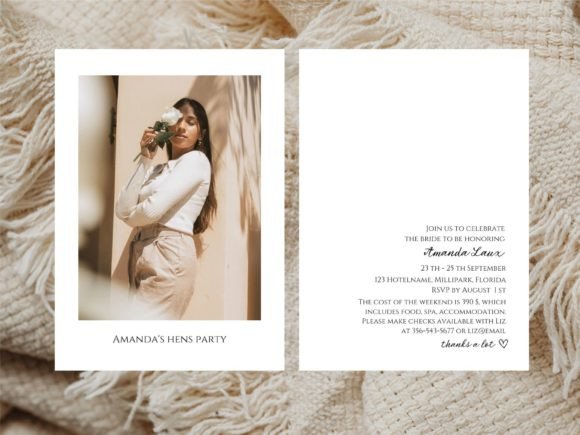
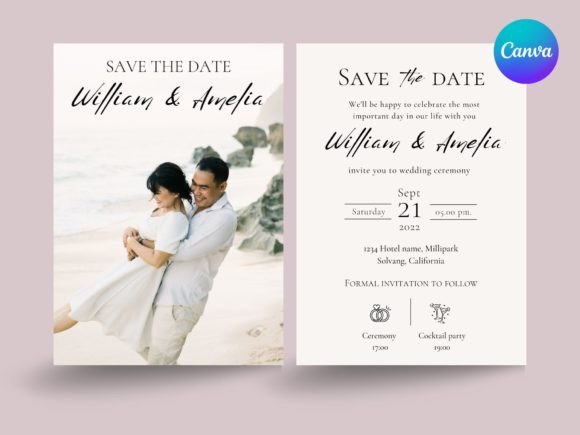
The 5"×7" dimensions are the gold standard for invitation suites for a reason. It is substantial enough to hold a high-resolution photograph without losing detail, yet compact enough to fit neatly into standard envelopes. When you choose a front and back layout, you maximize this real estate. The front becomes your visual hook—a stunning photograph, a bold typographic statement, or a textured background that hints at the event's theme. The back serves as the informational anchor, providing the essential details: the date, the location, the website URL, and perhaps a brief note about what to expect.
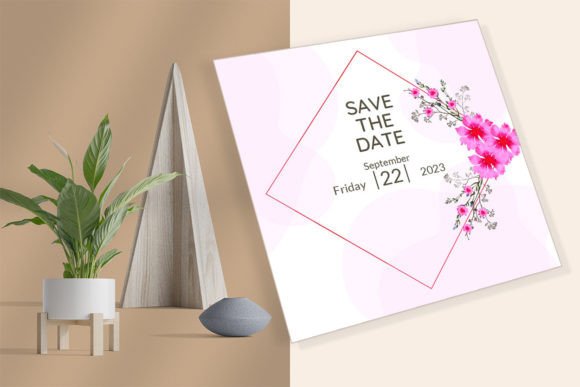
This duality allows for creative storytelling. Imagine a wedding save-the-date where the front features a candid, black-and-white photo of the couple, evoking timelessness and romance. The back could utilize a clean, sans-serif font against a soft pastel background to list the city and date, ensuring readability while maintaining the aesthetic. For a corporate event, the front might showcase a sleek, branded graphic or a photo of the venue, while the back provides a QR code linking to the registration page. The format supports endless variations, limited only by your imagination and the quality of your assets.
Unlocking Creativity with Canva
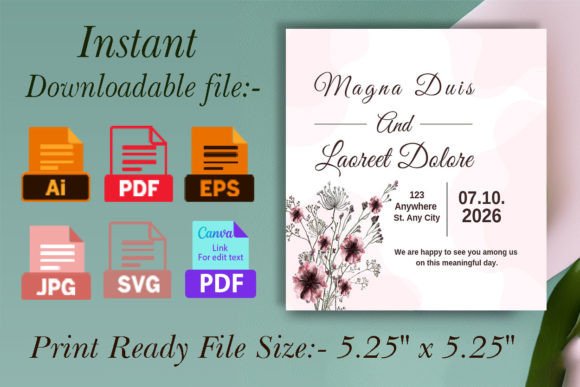
The true magic of this workflow lies in the editability. Unlike static PDF files that require advanced graphic design skills to alter, a Canva-editable template empowers you to tweak every element until it aligns perfectly with your vision. Canva's interface is intuitive, making it accessible even if you have never opened a design program before. You can swap out images, adjust font weights, change color palettes, and rearrange layout elements with a few clicks.
Consider the color psychology involved in your event. If you are planning a summer garden party, you might lean into sage greens, terracottas, and warm creams. With an editable template, you can test these combinations instantly. If the initial choice feels too muted, a simple slider adjustment can deepen the saturation or shift the hue entirely. Similarly, typography plays a crucial role in setting the mood. A script font suggests elegance and formality, while a bold, geometric typeface implies modernity and energy. The ability to experiment with these fonts directly in the browser allows you to find the perfect voice for your invitation.
Furthermore, the "editable over and over again" nature of these templates offers unparalleled flexibility. Perhaps you initially planned to send cards to fifty people but decided to expand the guest list to two hundred. Because you own the editable file, you can duplicate the design, make minor adjustments for different guest tiers (such as VIPs versus general admission), and print new batches whenever necessary. There is no need to reorder from a printer or pay additional design fees. You maintain full control over the lifecycle of your project.
Practical Applications Across Industries
While weddings are the most common use case, the utility of a Photo Card Invite extends far beyond matrimony. Educators and school administrators can use these templates to announce open houses, graduation ceremonies, or fundraising galas. A high-quality photo of the students or the campus on the front creates an emotional connection with parents and donors before they even read the details on the back.
Entrepreneurs and small business owners can leverage this format for product launches, pop-up shop announcements, or anniversary celebrations. A boutique clothing brand might send a save-the-date featuring their latest collection, turning the invitation itself into a piece of lookbook marketing. Real estate agents hosting open houses for luxury properties can use the 5x7 card to showcase the home's best angle, creating a sense of exclusivity and desire.
Even hobbyists and community organizers can benefit. Planning a large family reunion? A photo card featuring a collage of past gatherings can evoke nostalgia and encourage attendance. The key is to adapt the content to the specific audience. For a younger demographic, you might incorporate vibrant colors and trendy fonts. For a more formal corporate audience, sticking to a minimalist design with ample white space and classic serif fonts ensures professionalism and clarity.
From Digital File to Physical Reality
The journey from design to distribution is straightforward, bridging the gap between digital convenience and tactile satisfaction. Once you have perfected your design in Canva, the process moves to production. One of the significant advantages of this DIY approach is the freedom to choose your printing method and materials. You are not locked into a specific vendor's paper stock or finish.
If you have access to a high-quality home printer, you can print the cards immediately on cardstock of your choosing. This is ideal for last-minute changes or small batches. However, for a more polished finish, taking the downloaded high-resolution PDF to a local printing shop is often the best route. Local printers can offer a variety of paper textures—linen, cotton, recycled, or glossy—and finishing touches like rounded corners or spot UV coating. Because the template is designed with print standards in mind (including bleed areas and safe zones), you can trust that the final product will look exactly as it did on your screen.
The ability to print "as many pages as you need" also speaks to sustainability and budget management. You avoid the waste of over-ordering from a bulk printer. If you need ten more cards next week, you simply print ten more. This agility is particularly useful for events where RSVPs trickle in slowly or where plus-ones are confirmed late in the process.
Getting Started: A Simple Workflow
Executing this project requires minimal technical overhead but yields maximum creative return. The process is designed to be seamless:
- Acquire the Template: Add the product to your cart and complete the purchase. Upon payment, the files become available for instant download. This immediate access means you can start designing within minutes, keeping your momentum high.
- Customize in Canva: Open the file in Canva. Here, you replace the placeholder text with your event details. Upload your own photos to swap with the defaults. Experiment with the background colors to match your brand or theme. The interface guides you, ensuring that elements remain aligned and balanced.
- Finalize and Download: Once satisfied with the design, export the file as a "PDF Print." Ensure you select the highest quality settings to guarantee crisp text and vibrant images.
- Print and Distribute: Take your file to your preferred printer or run it through your home machine. Cut, fold (if necessary, though 5x7 is usually single flat), and place in envelopes. Your Save Our Date Card is now ready to delight your recipients.
Creating your special card is an act of curation. It is about selecting the right image, the right words, and the right feel to represent a moment in time. By using an editable template, you remove the friction of traditional design while retaining the soul of a custom creation. Whether you are a seasoned marketer looking for a quick turnaround or a bride wanting to add a personal touch to your wedding suite, this tool provides the foundation you need. Visit Canva's official site if you are new to the platform, but know that the learning curve is gentle. The result is a professional, memorable invitation that honors the significance of your event and respects the time of your guests.